How we built it
From a logo to a playable QR world
This project began with a QR code that looked like the JDT logo. It grew into mathematical artwork, transferable games, live audio and camera tools, real game engines, recursive images and multiplayer scanning. These chapters follow the main development stages rather than every small revision; several experiments evolved alongside one another.
It started with the JDT logo
A destination that looks like its owner
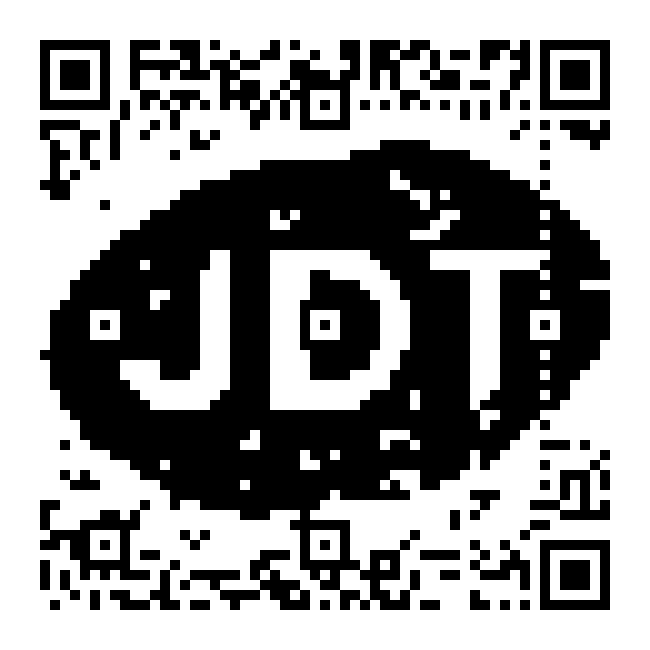
The first request was simple: make a QR that opens jdt.engineering and resembles the black-and-white JDT logo. The challenge was to make the logo emerge from the code itself. QR data, error-correction bytes and the chosen mask all influence where dark squares appear, so there was much more to explore than dropping a logo onto a finished symbol.
The original Go QArt route gave the encoder a long numeric fragment after the website address. Those digits were real encoded content, chosen to help draw the image; the browser still opened the same website. The search tried QR sizes, masks, rotations and URL spellings. Each promising image was decoded and independently reconstructed before it became a finished design. Later experiments moved the artistic freedom into padding, keeping the decoded URL shorter.
How it works
- The early route used a website URL followed by an optimized numeric fragment.
- Reed–Solomon parity was computed for the chosen data; the logo was not an arbitrary damage overlay.
- Appearance, decoder success and exact matrix reconstruction were checked separately.
What we checked
This displayed example has an independent matrix match and passes both decoders across eight supplied digital transformations.
Those checks cover the supplied image and transformations, not every printing size or camera.
The square in the middle
Change the layout, keep the structure
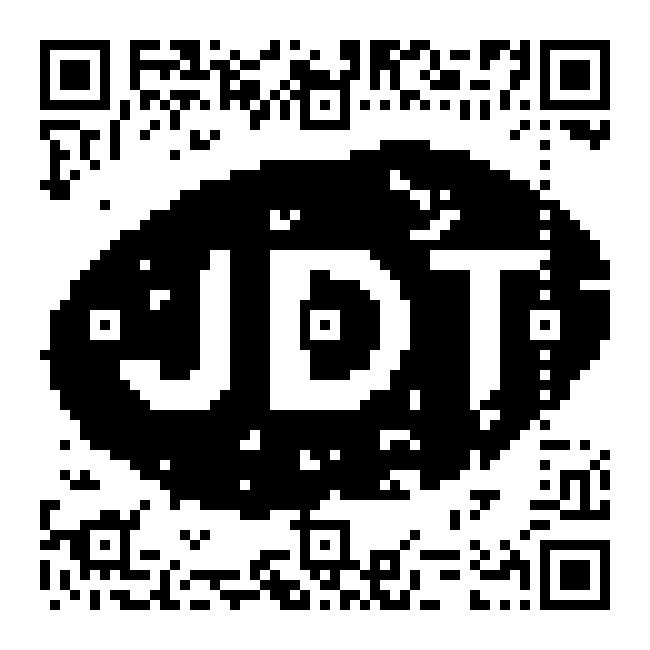
A small square interrupted the logo. It was an alignment pattern: one of the features a scanner uses to recover the grid. Removing it would have turned a structural requirement into a damaged part of the code. Instead, the project kept the original designs and built a second route around QR versions with a more open middle.
Versions 4–6 made that possible at a lower resolution. They keep the large corner finders and a small alignment pattern near the lower-right corner, without the interior alignment grid of the denser examples. The tradeoff is less room for both data and artwork. The result became two clearly separated collections, letting the viewer choose between a more detailed logo and a cleaner center.

How it works
- QR version chooses the number of modules and the positions of alignment patterns.
- The open-center route uses a valid smaller layout; it does not erase a required marker.
- Lower resolution gives the artwork fewer independently controllable positions.
What we checked
The exported variants retain their required structural patterns and individual verification records.
An open center does not mean a QR has no alignment pattern anywhere.
The instruction became part of the picture
Lowercase scan me
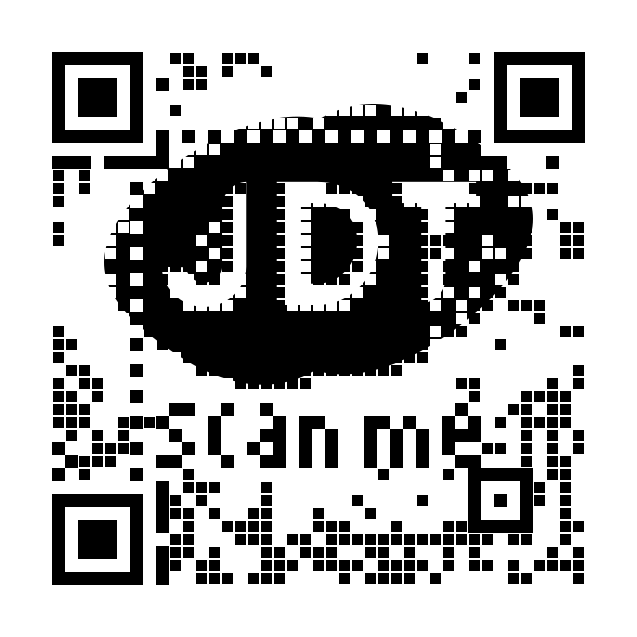
The next addition was a small invitation: scan me. Lowercase lettering suited the logo better, so it became part of the target image rather than a separate label pasted onto the page. Variants placed the words above or below the logo and repeated the search with and without the central alignment pattern.
Text makes the problem more demanding. A single misplaced square can close a letter or break a narrow stroke. The lettering route therefore checked the requested text area explicitly, alongside the complete QR matrix and actual decoder output. It also made a practical point about these experiments: the artwork should tell someone what to do before they know how it was made.
How it works
- The lettering is a target constraint inside the QR artwork.
- The lowercase text and its background were checked for an exact requested match in the selected lettering route.
- Logo-only variants remain available; the new route did not replace them.
What we checked
The public original gallery contains 72 logo and lettering designs.
Each export carries its own payload and verification record.
A QR can open an action
Contact data, not another landing page
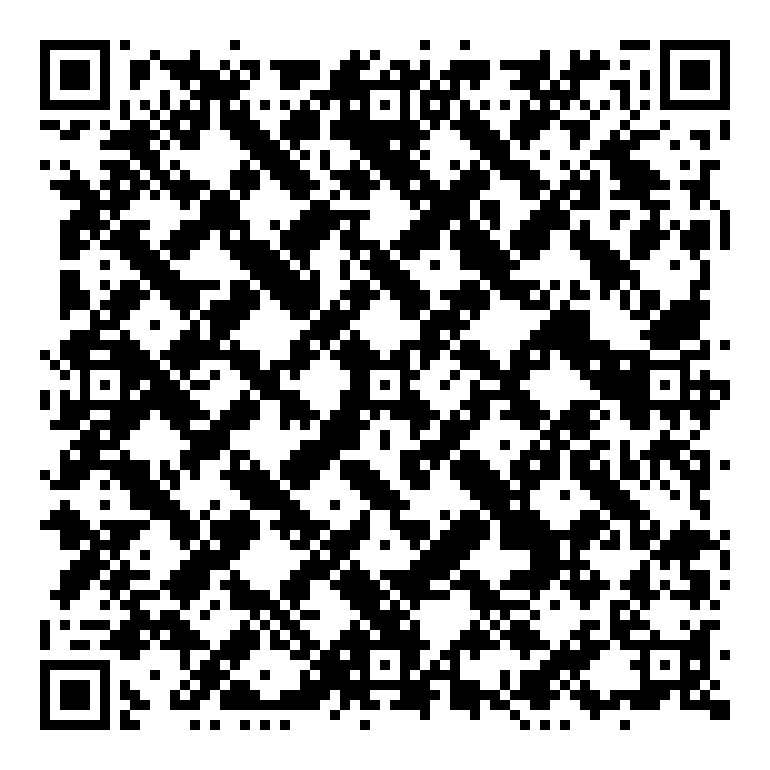
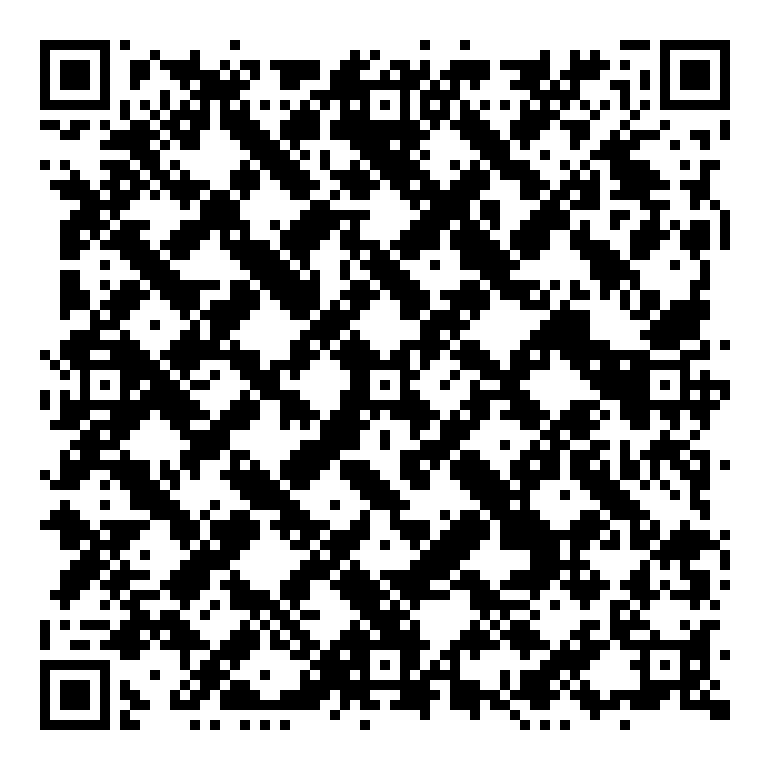
The encoded message does not have to be a website URL. A QR can describe an email action, a telephone action or a contact card. The public woven email code is a compact example: it directly encodes mailto:jim@jdt.engineering, so the receiving device can offer its email app without visiting a redirect page first.
This also separates the visible artwork from the message. A woven pattern can carry an email address, and a live camera image can later carry a vCard. The scanner interprets the encoded text; the picture is not itself an attached contact photo. What happens after scanning still depends on the device: an email action opens a composer, and a telephone action opens a dialler rather than placing a call automatically.
How it works
- The public email example encodes the mail action directly.
- A vCard contains structured contact fields; its QR artwork is a separate visual layer.
- No redirect service is required for these direct actions.
What we checked
The public email PNG passes ZXing and OpenCV, matches an independent matrix reconstruction, and matches its rasterized SVG.
Contact importing and available apps vary by scanner and device.
A game that carries its own position
Scan a frame and continue Snake
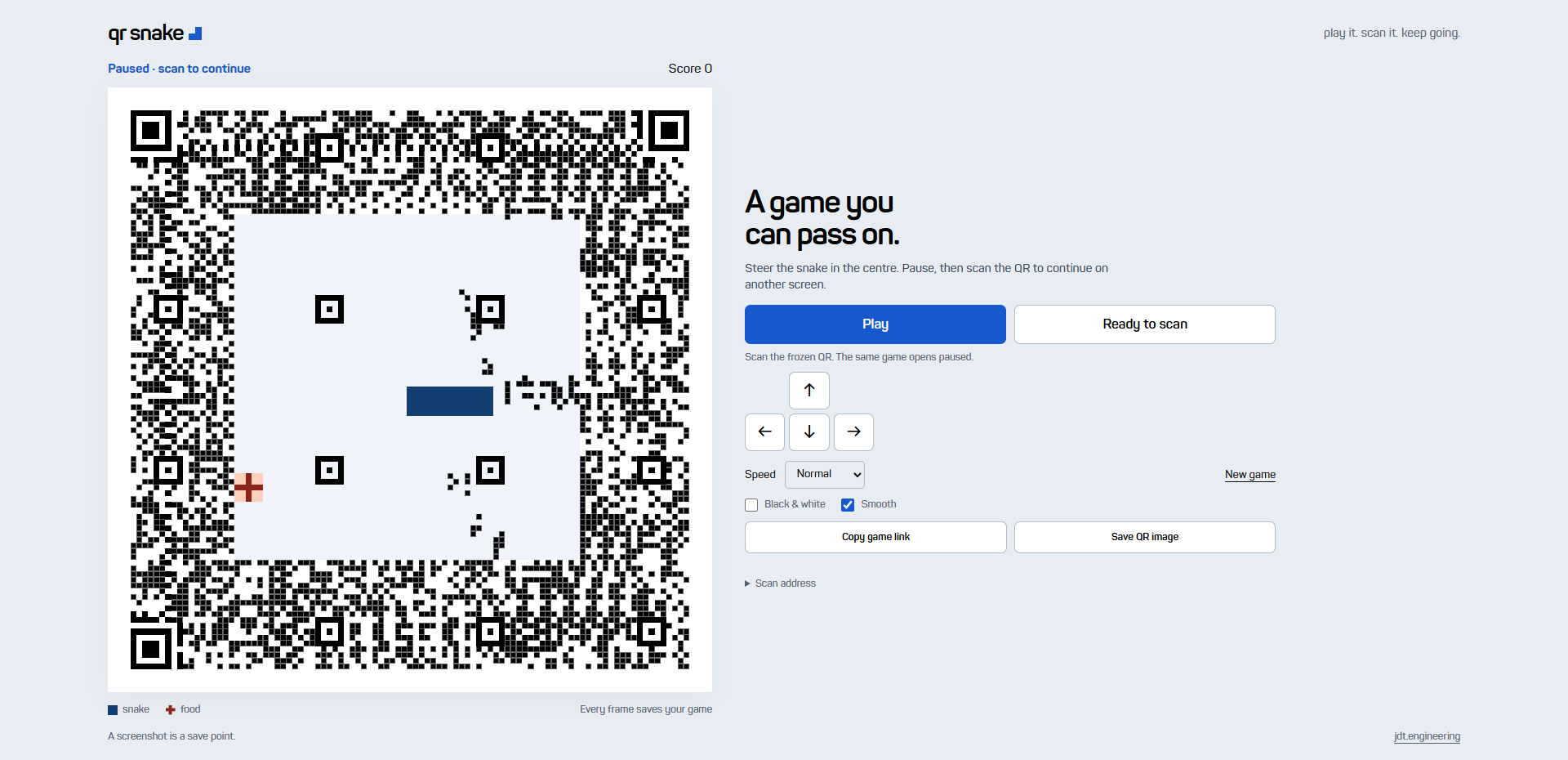
The first playable step was Snake inside a QR. Here the picture and the encoded message describe the same game. Each completed frame contains a URL with the current board, snake, food, direction, score, speed and random-number state. Scan it on another device and the game opens paused at that position, ready to continue.
The saved state is small because the body is stored as a head cell followed by two-bit steps toward the tail. A checksum catches corrupted links, and Base64url turns the record into a short URL fragment. The game only presents a new state after its QR has finished encoding, so the screen, copied link and saved PNG agree. The fragment is the saved game data, not the JavaScript program; the destination still hosts the game.
How it works
- A 12×12 board is serialized into a 23–70 character state fragment, including a full board.
- The state includes the random-number generator, allowing deterministic future food placement.
- A worker builds the next exact-parity QR before that game state becomes visible.
What we checked
The codec validates length, version, checksum, body geometry and canonical re-encoding.
The finite Smooth check decoded 16/16 rendered samples in ZXing and 8/16 in OpenCV; the latter passed the larger export images.
Scanning transfers a completed saved position, not a live multiplayer session.
Sound became moving QR artwork
One link, continuously changing pixels
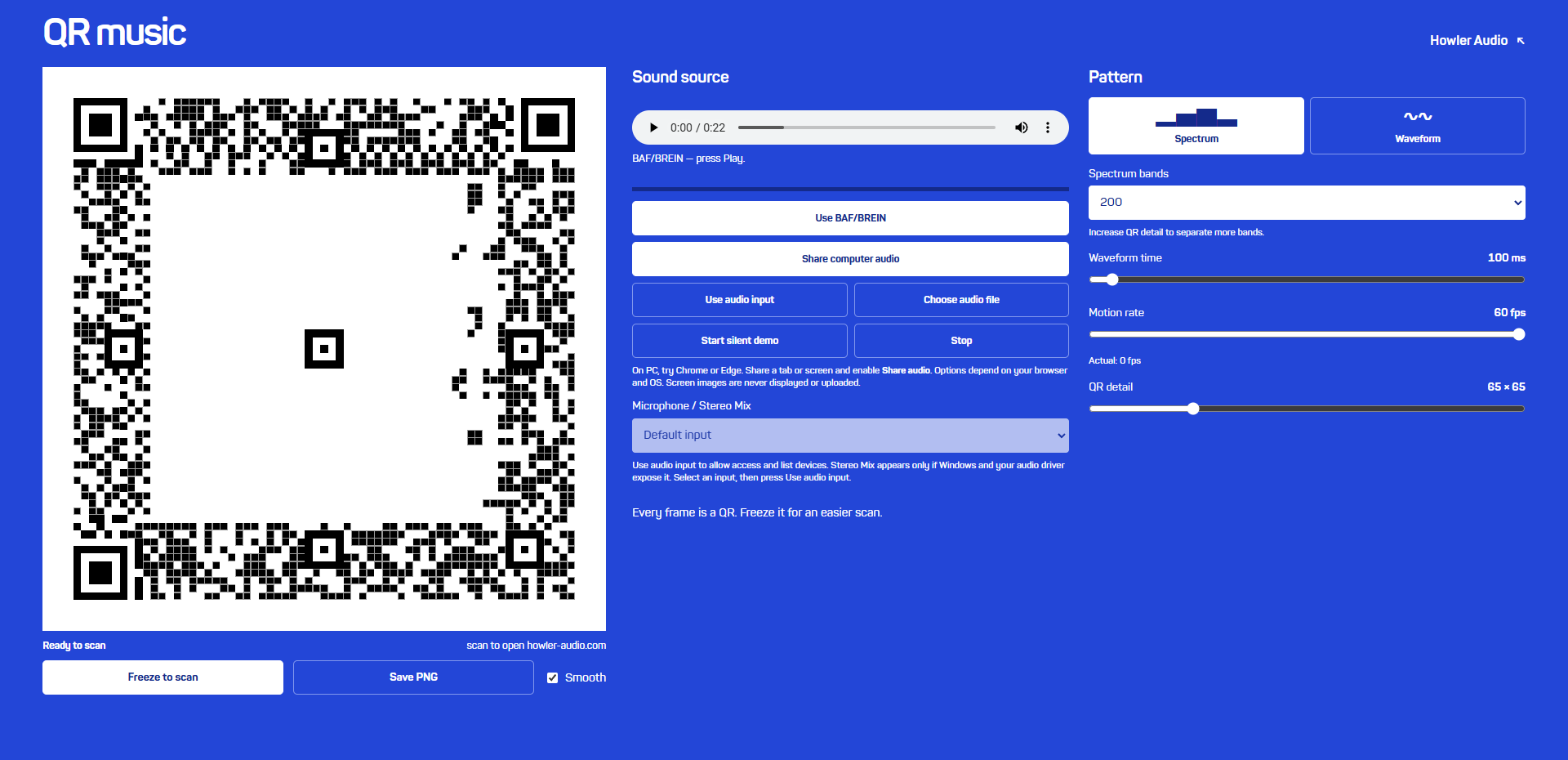
Music used the same general engine for a different purpose. The destination stays https://howler-audio.com while the data padding changes to follow a spectrum or waveform. A local recording, microphone or shared computer audio drives the image. Freeze holds a completed QR for scanning while the sound can continue.
The spectrum uses an 8,192-point FFT and logarithmically spaced frequency bands. It averages spectral power within each band, avoiding an artificial advantage for wider bands. The waveform instead uses real sample-clock history: a two-second buffer, a selectable time window, and positive/negative minima and maxima for each column. A simple 300 Hz display-only low-pass and automatic gain keep the shape legible without changing the audio you hear.
How it works
- The waveform gain adapts toward a useful display height and stops boosting very quiet input.
- More drawn spectrum bars cannot create finer frequency resolution than the FFT provides.
- Only one QR job is in flight; a complete frame replaces the previous frame without a queue of stale audio.
What we checked
The published Smooth sample set passed ZXing 36/36 and OpenCV 29/36.
A requested frame rate is not a measured display rate; the app reports completed frames separately.
Audio analysis stays in the browser. Input permission and computer-audio availability depend on the browser and operating system.
Patterns, symmetry and actual nested codes
From a logo to a mathematical atlas
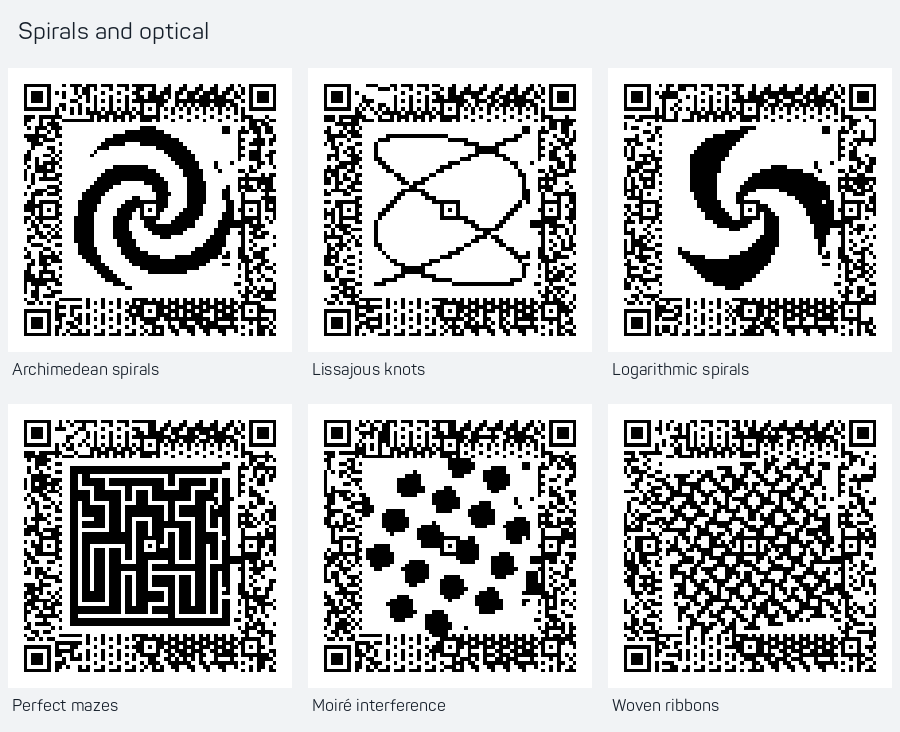
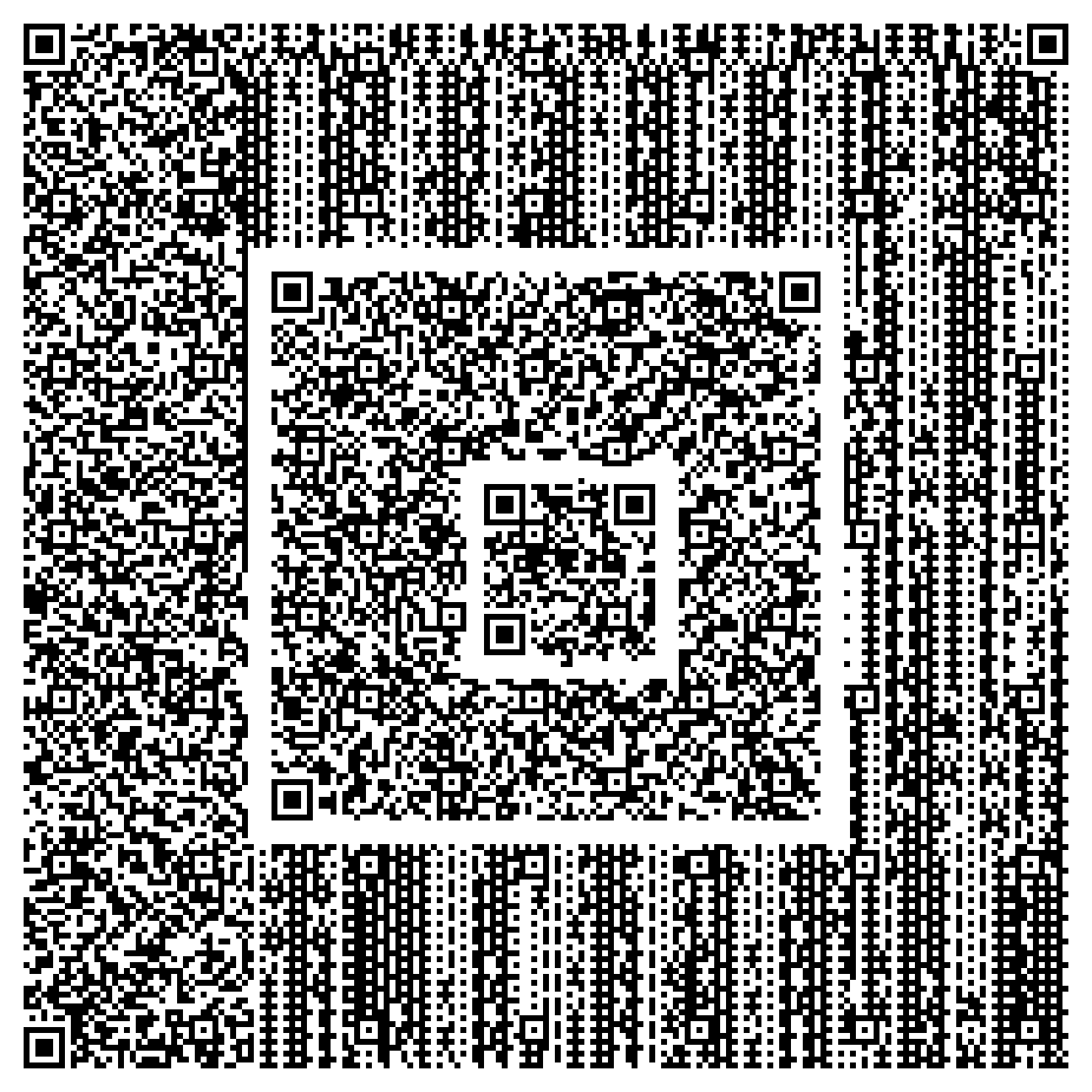
Once the artwork no longer had to be a logo, spirals, mazes, woven ribbons, radial patterns and fractals became natural targets. The first atlas collected 216 finished designs in 18 families. Circular artwork could suggest symmetry, but the QR’s required finder and alignment layout remained visible and constrained the complete image.
A fractal-looking picture is not automatically a QR within a QR. The separate nested experiments made that distinction concrete: an actual smaller code and its white border were fitted into a larger code, then cropped straight from the finished parent image and decoded. The outer code retained exact parity; changes imposed by its requirements could disturb the child, which then depended on its own correction capacity. Bounding boxes were checked so detecting the child could not be mistaken for detecting the parent.
How it works
- Mathematical self-similarity and independently scannable nested symbols are different properties.
- The nested child images are real crops of the parent export.
- Each intended nested level is identified by its position and extent as well as its decoded text.
What we checked
All 216 atlas finalists passed both decoders at the supplied PNG resolution.
ZXing verified all three levels in 8 of 204 three-layer candidates. OpenCV did not reliably identify every surrounding parent.
Nested examples are experimental and are not included in the atlas’s blanket dual-decoder claim.
Could the moving image be DOOM?
A real engine behind the QR
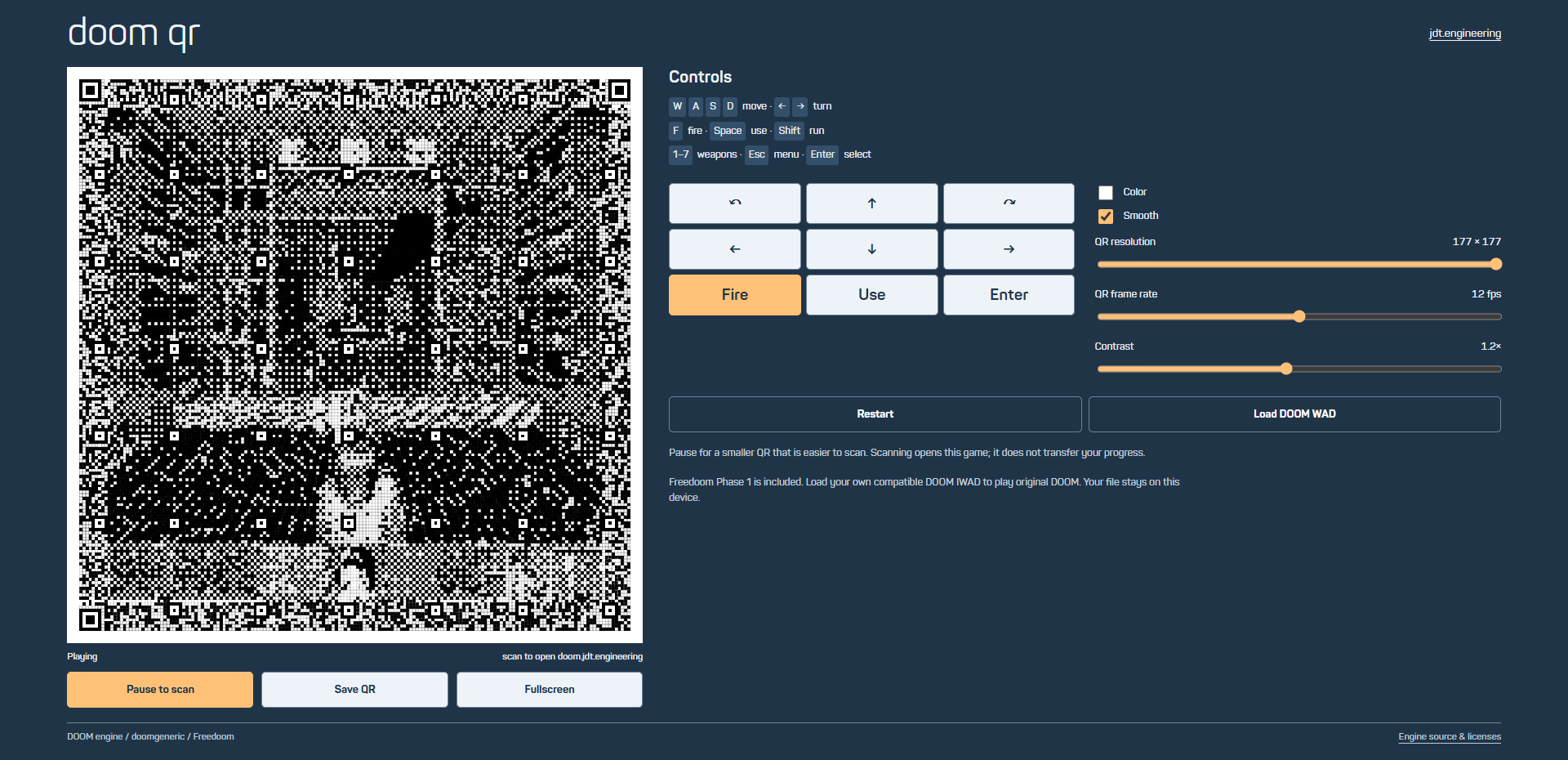
DOOM turned the QR into a display for an existing game engine. The WebAssembly engine produces a real 320×200 framebuffer; the renderer samples, dithers and fits it into a valid QR. The public build includes Freedoom game data, and a local original WAD can be loaded separately. Scanning a frame opens the game website; unlike Snake, it does not transfer the running game state.
The detailed view can use the maximum standard QR size, 177×177 modules. That gives the scene more room but makes camera detection harder. Pausing for a scan switches to a smaller symbol. Optional color preserves the distinction between dark and light modules, while Smooth reveals the source scene between slightly smaller data squares. This particular engine port is silent; the QR renderer does not add an invented soundtrack.
How it works
- The real engine and QR work run separately; completed matrices replace one another atomically.
- Scene color is constrained to dark and light ranges so it preserves the encoded bits.
- Detailed QR frames encode a fixed destination, not the complete engine memory or save state.
What we checked
Thirty-two sampled gameplay matrices independently matched, and 64 monochrome/color images decoded in ZXing.
OpenCV was much less tolerant of the dense views. The separate twelve-image Smooth set passed ZXing but not OpenCV.
These are finite engine and image tests, not universal phone-camera evidence.
Then it became a DOS machine
Original programs, original sound
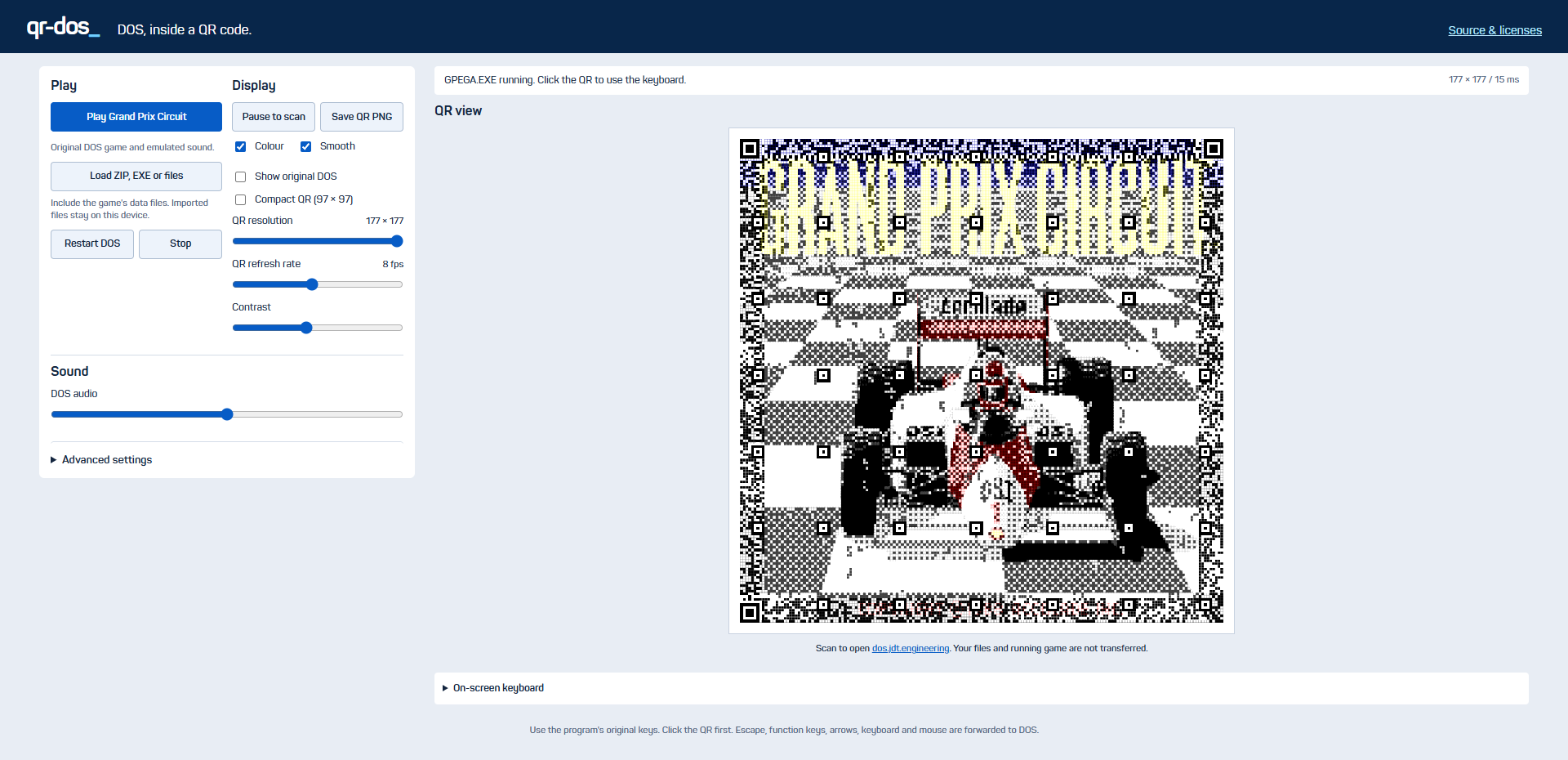
The request for Grand Prix Circuit led to a broader tool: QR DOS. A real DOSBox WebAssembly emulator runs the program, produces its video and supplies its original PCM sound. The QR layer draws that video as artwork while the keyboard and mouse still reach the original program. The supplied Grand Prix Circuit can launch directly; other compatible DOS programs can be loaded locally.
The scan destination remains the DOS app, not a copy of the running virtual machine. Local imports are not uploaded, and explicitly saved browser files are separate from CPU and RAM state. That boundary matters: the QR is a live visual output and a way to open the tool, while the emulator is responsible for executing the game. A compact view and pause control help when the detailed moving picture is difficult to scan.
How it works
- The emulator’s RGB framebuffer is the artwork source, and its PCM is the game audio.
- Browser file saves preserve a filesystem, not a suspended CPU snapshot.
- The public game data and emulator source have separate provenance and licensing.
What we checked
The actual game was driven through its menus to a moving car; the test captured real video and nonzero original audio.
Twenty-one game matrices matched independently and 42/42 corresponding QR images passed ZXing; OpenCV passed 6/42.
Compatibility with every DOS program, browser audio device and physical scanner is not claimed.
Stop treating the middle as the canvas
Artwork across the entire field
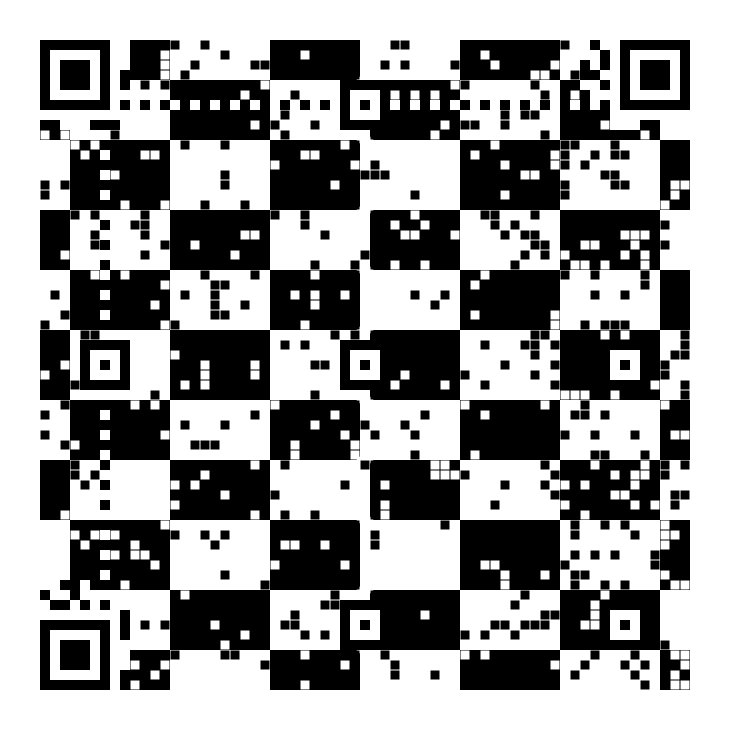
The next challenge was aesthetic: a picture in the middle still felt too much like an insert. Whole-field work gave every available data and parity position an artwork target, including the edges. Required QR structures remained fixed, but the rest of the code could participate in a woven, rippling or geometric texture.
The bit-level solver models how each free padding bit changes the finished code. Because the parity relationship is linear, those changes can be combined into equations for desired dark and light modules. Not every request can be satisfied at once, so the solver chooses a consistent set and preserves a valid result. The decoded payload can now remain exactly https://jdt.engineering: the artistic variables sit after the message terminator instead of in a visible numeric URL fragment.
How it works
- All nonstructural target positions receive positive weight; there is no reserved central picture area.
- Free padding choices propagate through Reed–Solomon parity, allowing the whole field to respond.
- The padding is deliberately noncanonical; exact parity and successful decoding are not a formal conformance certification.
What we checked
The first full-field collection contains 120 curated designs; original and Smooth exports were checked separately.
The early research compared different versions, targets and search budgets. Its agreement percentages are exploratory results, not a controlled solver benchmark.
Make the artwork live
A camera-powered contact card
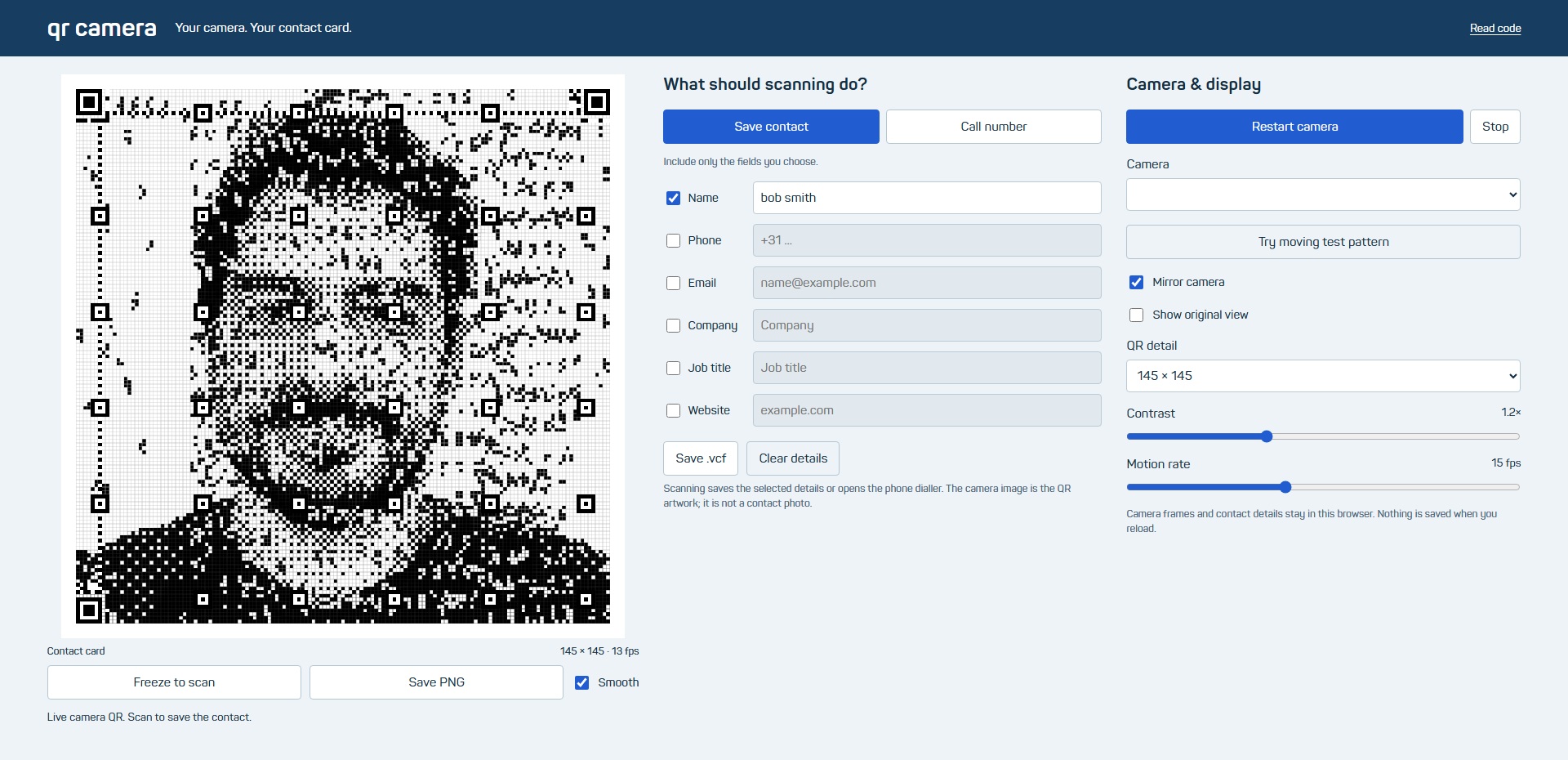
The camera tool applies the whole-field approach to a live image. A square crop fills the entire QR, while selected contact fields become a vCard or telephone action. The image changes from frame to frame, but the chosen contact message remains the thing a scanner reads. Only layouts without a structural pattern in the central 5×5 area are offered.
The camera picture is visual artwork, not a photo attachment inside the vCard. Capture and contact details stay in browser memory; saving a PNG deliberately carries the selected details with it. The app can freeze a completed frame, hide the original camera view, and stop its tracks when capture ends. Smooth is a drawing mode with smaller data squares over the source image, not a blur filter applied to the finished code.
How it works
- vCard serialization includes escaping, line folding and UTF-8 support for non-ASCII names.
- The QR worker uses current image pixels as its target across the entire field.
- Camera access and contact import behavior belong to the browser and receiving scanner.
What we checked
Thirty-two matrices matched independently; 64 standard/Smooth renders passed ZXing, while OpenCV passed 43.
Browser lifecycle checks used a simulated MediaStream. They do not establish real-camera contact-import behavior on phones.
A larger visual vocabulary
Fractals, Lissajous curves and fields
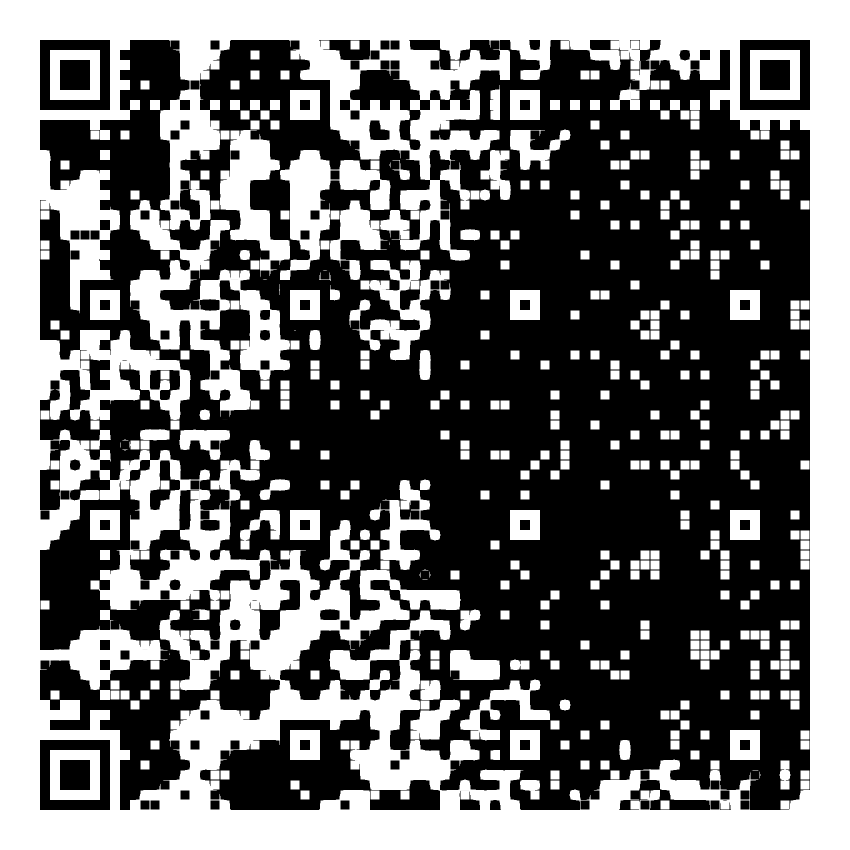
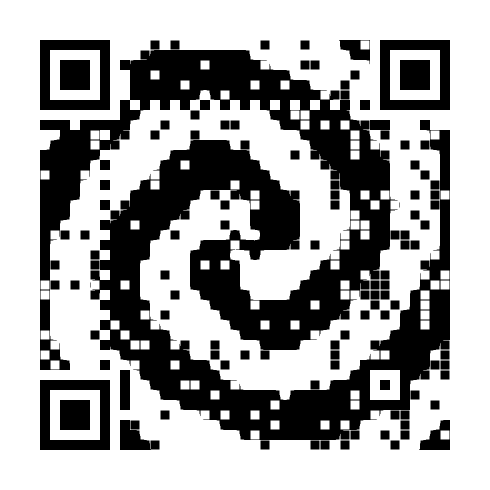
The full-field approach then expanded into a much larger collection: Mandelbrot and Julia bands, Burning Ship dynamics, iterative affine systems, Hilbert transformations and dragon folds. Lissajous curves added a different kind of structure: two sine motions with changing frequency ratios and phase create knots, ribbons and tiled loops. These were mathematical target generators, not just different seeds applied to one picture.
The same collection also explored cellular distance fields, warped checkerboards, woven ribbons and actual Gray–Scott reaction-diffusion simulations. A separate 120-design route returned to versions 5–6, keeping structural squares near the edges. Smooth versions retain the encoded module centers while revealing the target between 90%-width data squares. The original square-module exports remain available for comparison.
How it works
- The 240-design collection spans 24 families; each family changes meaningful geometry or mathematical parameters.
- Fractal-looking texture does not imply that cropped fragments are independently scannable QRs.
- The edge-only collection changes the QR layout instead of deleting alignment squares.
What we checked
The 240 new designs and 120 edge-only designs each pass both decoders and independent matrix reconstruction.
Across the three full-field collections, 480 Smooth PNGs and separately rasterized SVGs pass both decoders. One texture retains a full-size outer band for detection.
These are supplied digital exports, not a print or phone qualification.
How much photograph can remain?
Tiny QR marks over a complete image
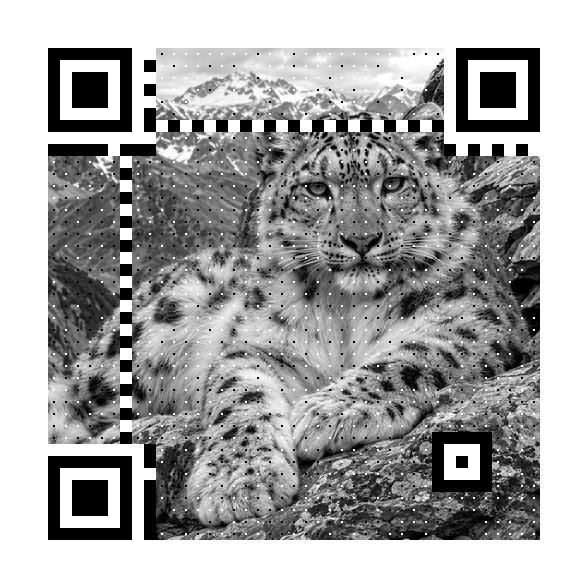
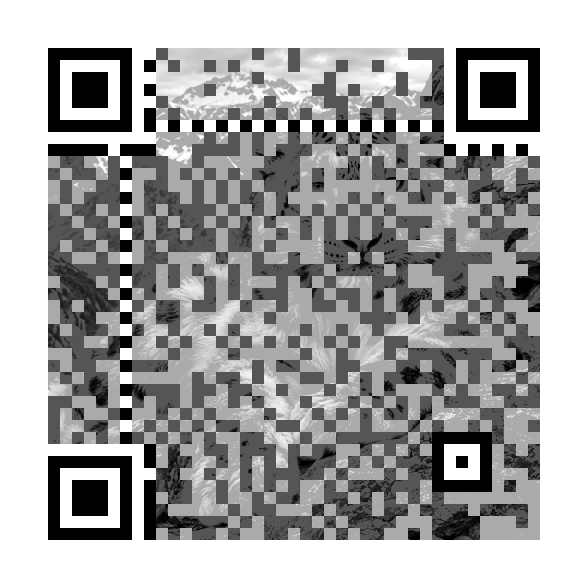
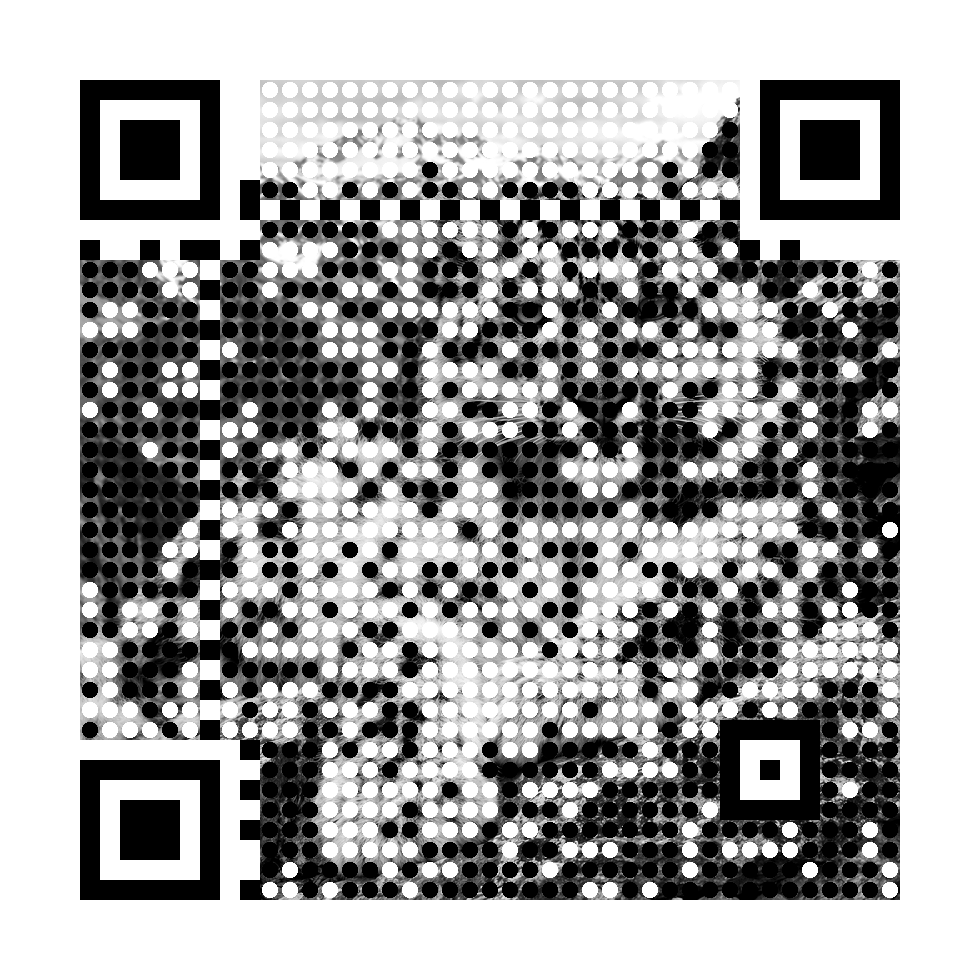
Photographic work pushed the display method further. Generated images of an alpine lake, canal houses and a snow leopard cover the complete field. In the fine-photo view, tiny black or white marks occupy the centers of data cells, while most of the surrounding image remains visible. The required structural cells remain full-size and the white margin stays clear.
This makes a crucial distinction visible. The underlying QR matrix can have exact parity and every sampled center can be correct, while different scanner detectors still disagree about the image. The gallery therefore pairs photo-preserving experiments with tonal and black-and-white references. It reports what each decoder actually read, rather than treating a beautiful image or a mathematical matrix check as a camera guarantee.
The first photo-preserving versions passed native software decoding but were reported unreliable when scanned. That feedback changed the default: stronger tonal contrast, larger squares or larger circles, a wider correction-level search, and a large scan viewer that uses whole pixels per module. The tiny-dot experiments remain available separately. The new defaults pass a broader digital test set, while confirmation on physical phones is still pending.
How it works
- All twelve selected images use version 6, keeping the alignment square near the lower-right corner.
- Fine photo uses 2×2 center marks in 12×12 data cells; Photo dots uses larger circular marks.
- The photographic sources were generated images, not documentary photographs of identified real subjects.
What we checked
The earlier twelve exports passed ZXing at native size; only six passed OpenCV. That was not sufficient evidence of reliable physical scanning.
The twelve stronger defaults pass both decoders in all twenty tested conditions, including display widths, blur, rotation and perspective: 480 successful reads. Their matrices, centers, complete function cells, quiet zones and rasterized SVGs are independently checked.
The gallery defaults to the stronger set and opens a larger integer-module scan view. Physical-phone confirmation of the replacements remains pending.
Thirty actual browser card and enlarged-view captures, including mobile layouts, passed both decoders for the stronger variants. Earlier photo-heavy versions remain visible with their reliability labels.
A QR that zooms into itself
A deliberate use of error correction
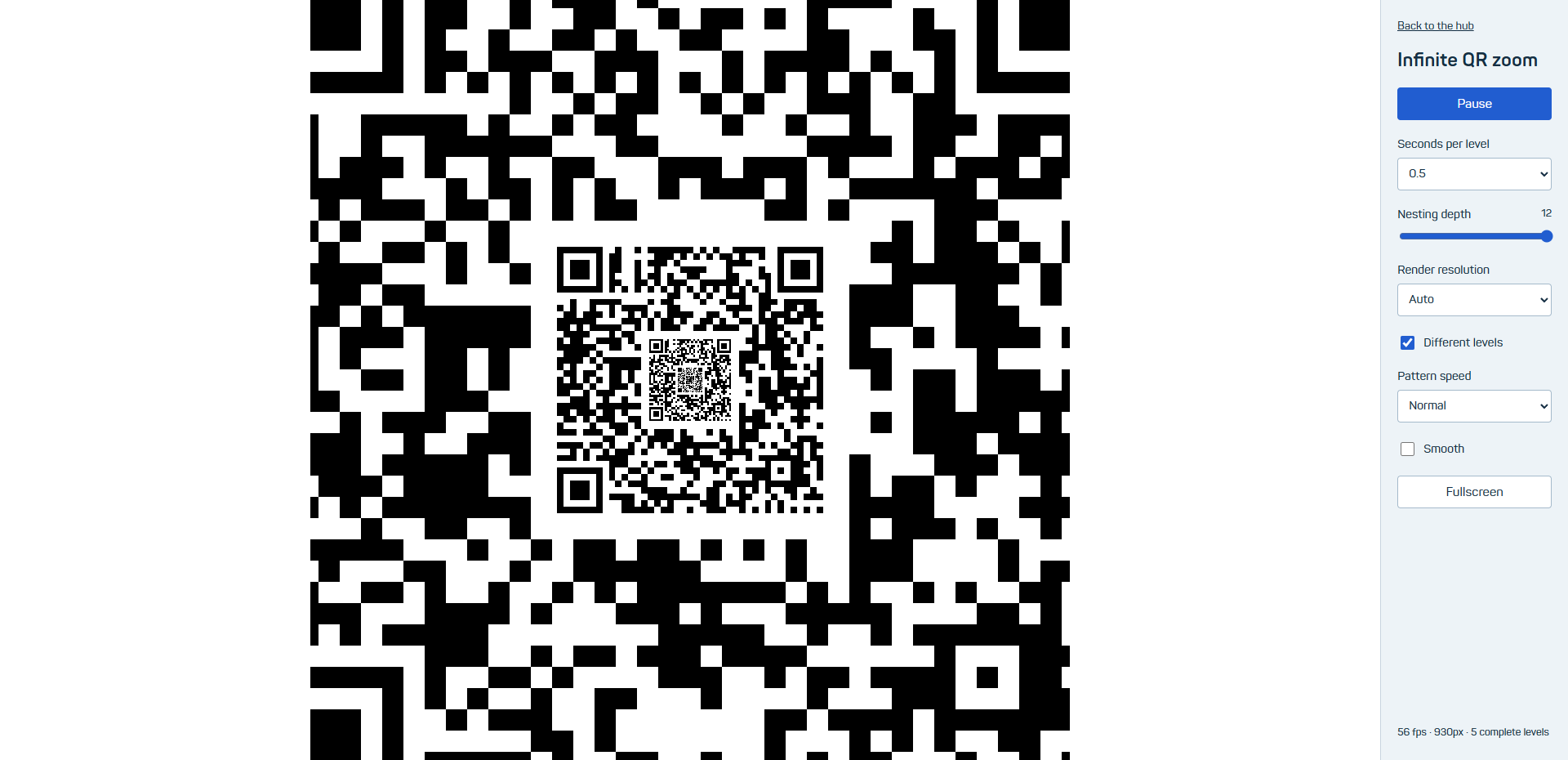
The recursive zoom takes a different route from the exact-parity artwork. A smaller copy of the same QR is placed inside a parent, including its quiet zone. The animation zooms until that child becomes the next parent, producing a seamless loop. Every complete readable level points to jdt.engineering.
The renderer caches 32 QR variants that all decode to the same URL. They differ in padding after the message; each change recomputes its parity. With Different levels enabled, every nested level advances through this cache independently. Turning it off restores one repeating code. Zoom speed, nesting depth and render resolution are adjustable, and controls stay beside the image.
How it works
- Each parent deliberately spends part of its error-correction capacity on a nested child. This differs from the exact-parity whole-field artwork.
- A child occupies 15/49 of its parent tile width. Even arbitrary pixels in that area touch at most 8, 12, 8 and 8 codewords in the four correction blocks; each can correct 14.
- World-level identities persist across a zoom cycle, so a child becomes the next parent without a seam. Cached tiles keep QR solving out of the animation loop.
What we checked
All 56 complete QR levels tested in actual browser canvas captures decoded with ZXing across both resolutions, both toggle states and both Smooth settings; OpenCV decoded 47.
Descendants below the screen pixel limit cannot remain scan-readable. The control limits rendering depth; it cannot create detail beyond the chosen resolution.
The page itself became a QR
A measured window for a scrolling website
The alternate homepage places a working, scrolling page inside a QR frame. Its destination is the hub itself. Unlike an image target, page content can change freely as someone scrolls, focuses a control or opens a section. The design therefore needs a bound on any possible changes inside its content window, not merely one screenshot that happened to scan.
The current frame uses version 6 with high error correction. Its narrow window avoids every structural module, and all content is clipped inside that rectangle. The calculation counts which codewords the rectangle can touch in each block, leaving a correction reserve outside it. Larger layouts and content windows remain research: an exact QArt fit to one fixed card layout is not evidence that an arbitrary scrolling page will keep working.
A second view gives most of the screen back to the actual site. Small QR marks sit over the interactive page, with a preserved quiet border and corner markers. It is an experimental rendering: the browser screenshots read in ZXing, while OpenCV does not read this style. The protected frame remains available as a separate choice.

How it works
- The current content window is 14×20 QR modules within a complete 49×49 tile.
- The window can affect at most 10, 11, 11 and 10 codewords across four blocks, versus 14 correctable errors per block.
- The bound assumes detection and sampling of the unchanged exterior; it does not guarantee optical acquisition.
What we checked
The v6/H research tested all eight masks with four synthetic fills: 32/32 reads in each decoder. The selected mask passed another 16/16 scale/fill cases per decoder.
These cited results are raster tests. They must not be relabelled as arbitrary live-content or physical-camera guarantees.
The larger-page route is ongoing research, not the current deployed specification.
Large-view validation checks the outer QR bounding box, so a smaller QR shown inside the page cannot falsely count as a successful whole-page read.
Scanning became the game control
Eat, grow, swallow, scan to reverse, bank
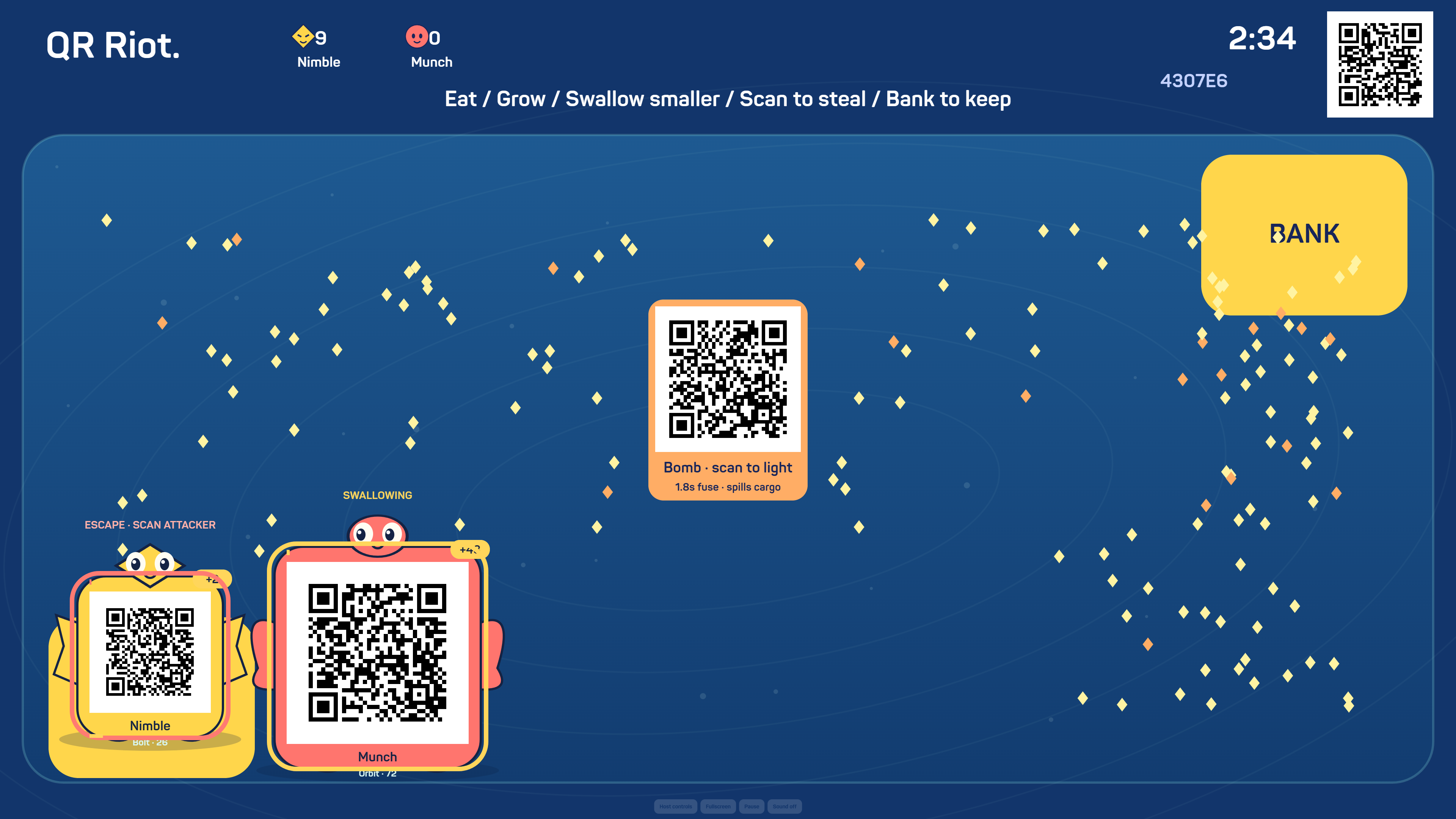
QR Riot puts moving QR creatures on one shared screen. Phones remain both cameras and controllers. Joining through the room QR asks only for a name; each joined person adds one recognizable creature, with optional NPCs set separately.
The growth game makes size both an advantage and a liability. Eat food to grow, swallow smaller creatures and bank growth before someone takes it. Giants move more slowly and carry larger, easier-to-scan codes. A threatened small player can escape or scan the attacker to steal its body and reverse the encounter.
Swallowing takes two seconds of directed contact at a mass advantage of at least 1.35 times. Victims receive a protected respawn and keep banked points; starter mass cannot be farmed. Jet spends a little growth for an escape burst. Scanning the bomb lights a visible fuse and blasts nearby creatures, spilling growth.
How it works
- The server owns movement, food, mass, scoring and ownership; clients send intentions.
- QR tokens activate after the host renders them. Ownership changes cancel pending swallow contests, and the scanner must deliberately rearm before another claim.
- Four integer-sized QR tiers grow with the body; expressive faces, fins, warnings and shields stay outside the undistorted code.
- Camera capture remains active while steering and after scans. Native detection or a self-hosted ZXing fallback reads repeated matching frames.
What we checked
All 22 rule/network tests and all five public browser cases passed, covering growth, scan reversal, banking, continuous camera and rendered QR decoding.
Public 4K samples measured about 18 ms median and 36 ms at the 95th percentile. This is not a guarantee of 4K at 60 fps on every machine.
Synthetic-camera checks do not establish phone acquisition speed from a television or replace a physical group playtest.
Even the heading became scannable
One QR per letter
The title is thirteen separate codes spelling QR experiments. Every letter opens the same hub. Every second, one randomly selected position changes to another variant, without immediately repeating the previous position. Smaller matrices and larger display tiles make the letters easier to scan.

How it works
- Version 4 gives 33 modules; the four-module border makes a 41-module tile.
- Each tile is displayed at 82 CSS pixels, an exact two pixels per module. Small screens wrap instead of shrinking.
- Three smooth variants exist for each of eleven unique glyphs.
What we checked
All 33 exports passed both decoders at 82 pixels, including supplied mild blur tests.
A whole graphical operating system
A desktop that is also its own link
KolibriOS boots inside a browser-hosted emulated PC, then its actual video memory becomes the QR artwork. Text editing, drawing and calculation happen inside the guest computer. A source-included helper handles mouse positioning and application launches; the original OS view is optional.
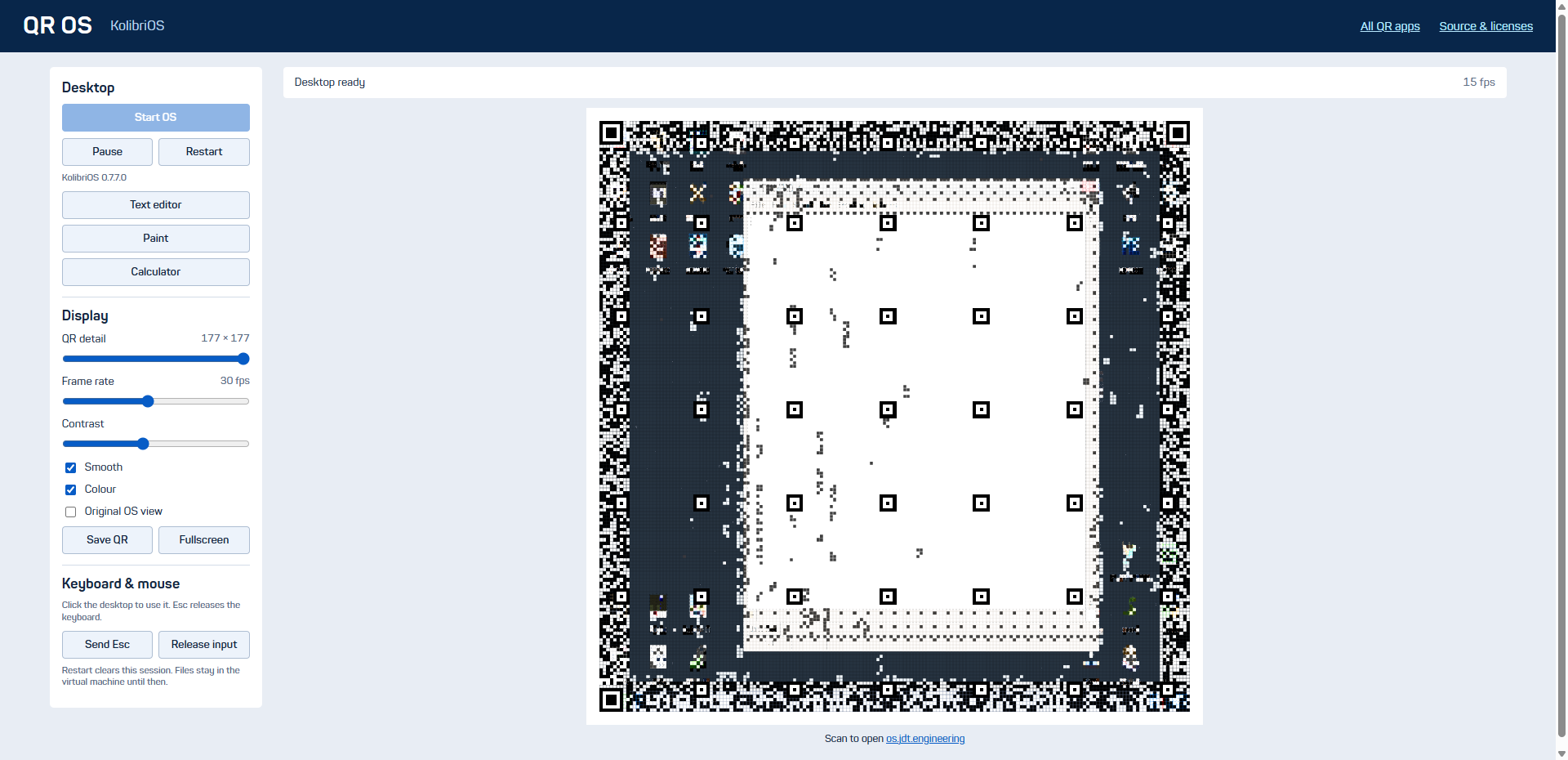
How it works
- v86 emulates the machine; the application reads its 32-bit SVGA framebuffer.
- A checksummed local serial protocol maps browser controls to documented guest system calls.
- The derived floppy and matching upstream sources are supplied.
- Scanning opens a new OS session, rather than transferring guest RAM.
- Capture takes one typed-array view of guest video memory before reading pixels. Removing millions of proxied reads reduced measured capture time from 616 ms to 5 ms with identical pixels.
What we checked
Real guest boot, launches, typed text and drawing were checked. Four sampled QR images match independently reconstructed matrices and decode with ZXing; OpenCV did not decode these dense samples.
The final live browser check painted the editor, accepted keyboard input through the QR, fit the desktop controls and rendered about 13–15 fps under the test load.
Move the forces, redraw the code
Interactive particle artwork
Gravity lets the visitor shape the picture. Hundreds of particles leave trails around up to five draggable attractors. Reverse the forces to push particles away, clear the wells or start again.
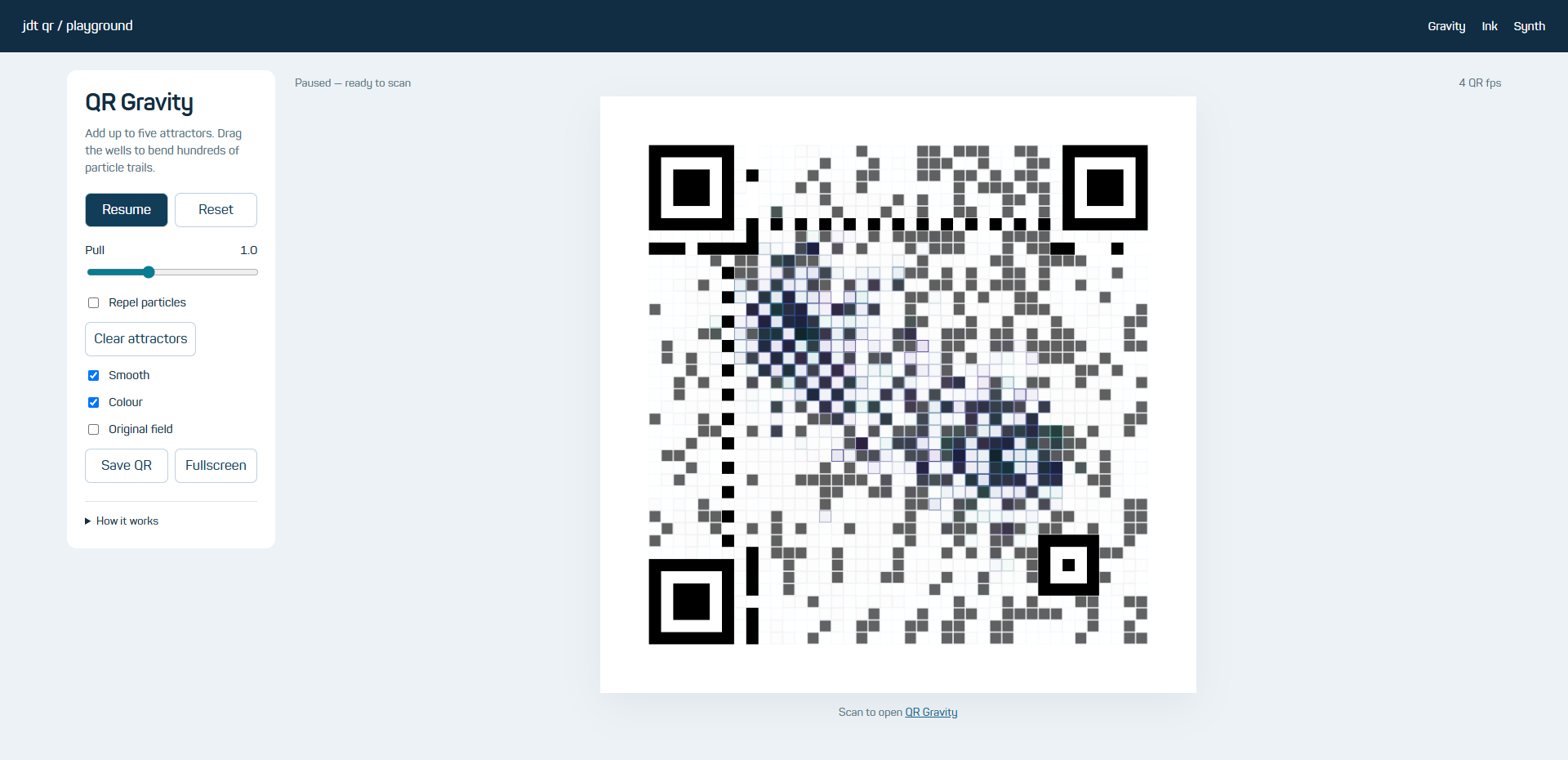
How it works
- Softened forces avoid singularities. Speed limits and reflecting boundaries keep particles inside the field.
- Every data cell receives an artwork target; a worker selects spare bits and recomputes parity.
- Version 6 leaves the middle free of structural squares.
What we checked
Physics limits and pointer controls were tested. Captured Gravity/Ink matrices were independently reconstructed; eight tested image/size combinations decoded with ZXing, seven with OpenCV.
Paint a pattern that keeps growing
Reaction–diffusion inside a QR
Ink is a chemical simulation. Brush strokes seed a second substance; diffusion, replenishment and removal turn marks into fronts, spots and branching patterns. Change the reaction preset and brush size, freeze the field or save its QR. Scanning opens the experiment, rather than transferring the entire grid.
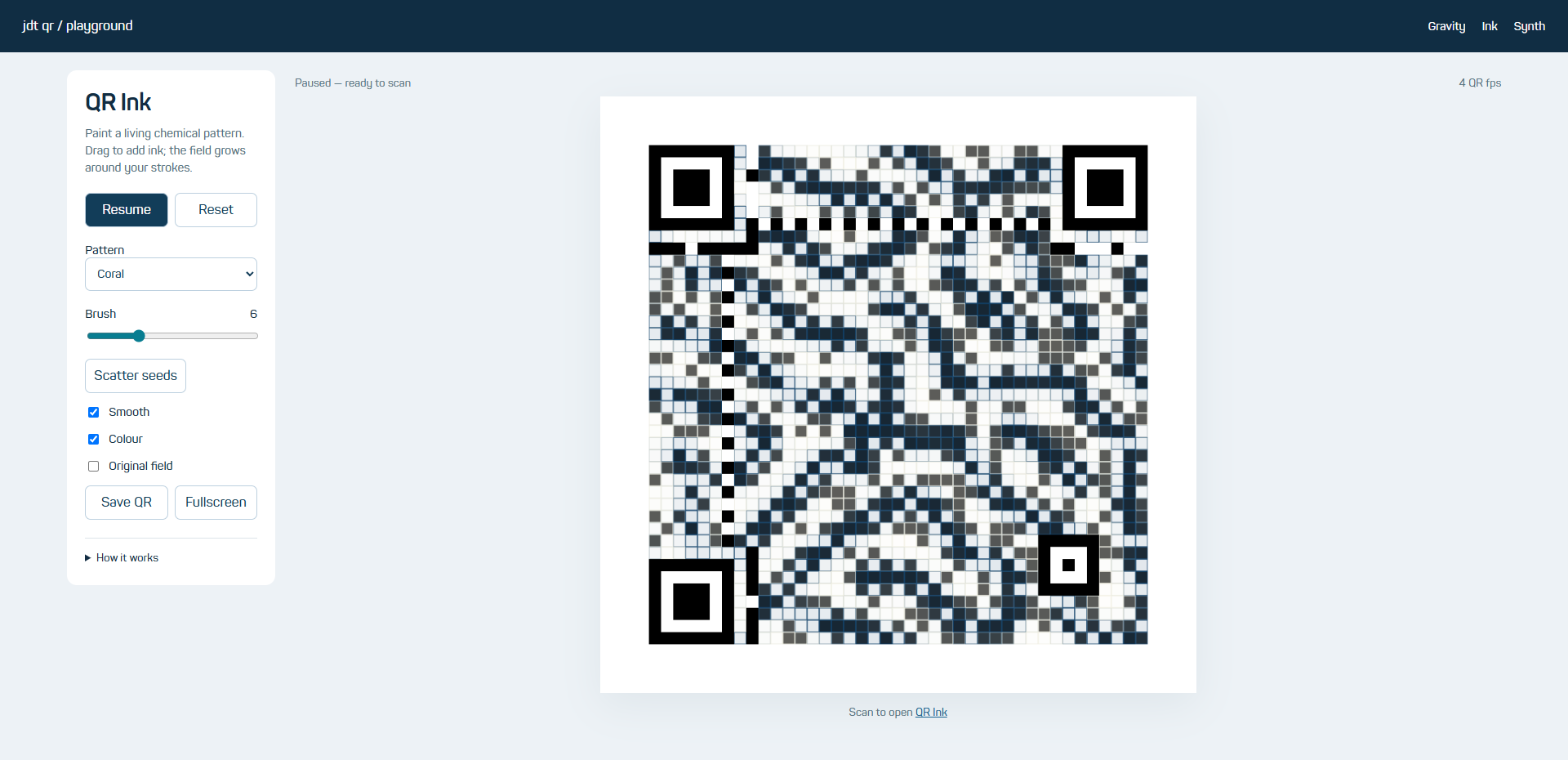
How it works
- Two concentrations evolve on a wrapping 128×128 grid.
- Separate input/output arrays and half-size integration steps prevent numerical feedback and saturation.
- The whole field drives the artwork target; Smooth draws over the associated source frame.
What we checked
Tests check finite, bounded, nonuniform evolution. Browser painting, pause, mobile width and desktop layout are verified.
A tune that travels inside its QR
Make a pattern, scan it, play it
Synth turns the QR into a musical handoff. Toggle steps, change tempo and play an arrangement. Its URL carries the pattern so another device can load the same sequence. Sound starts after pressing Play; voices are synthesized locally.
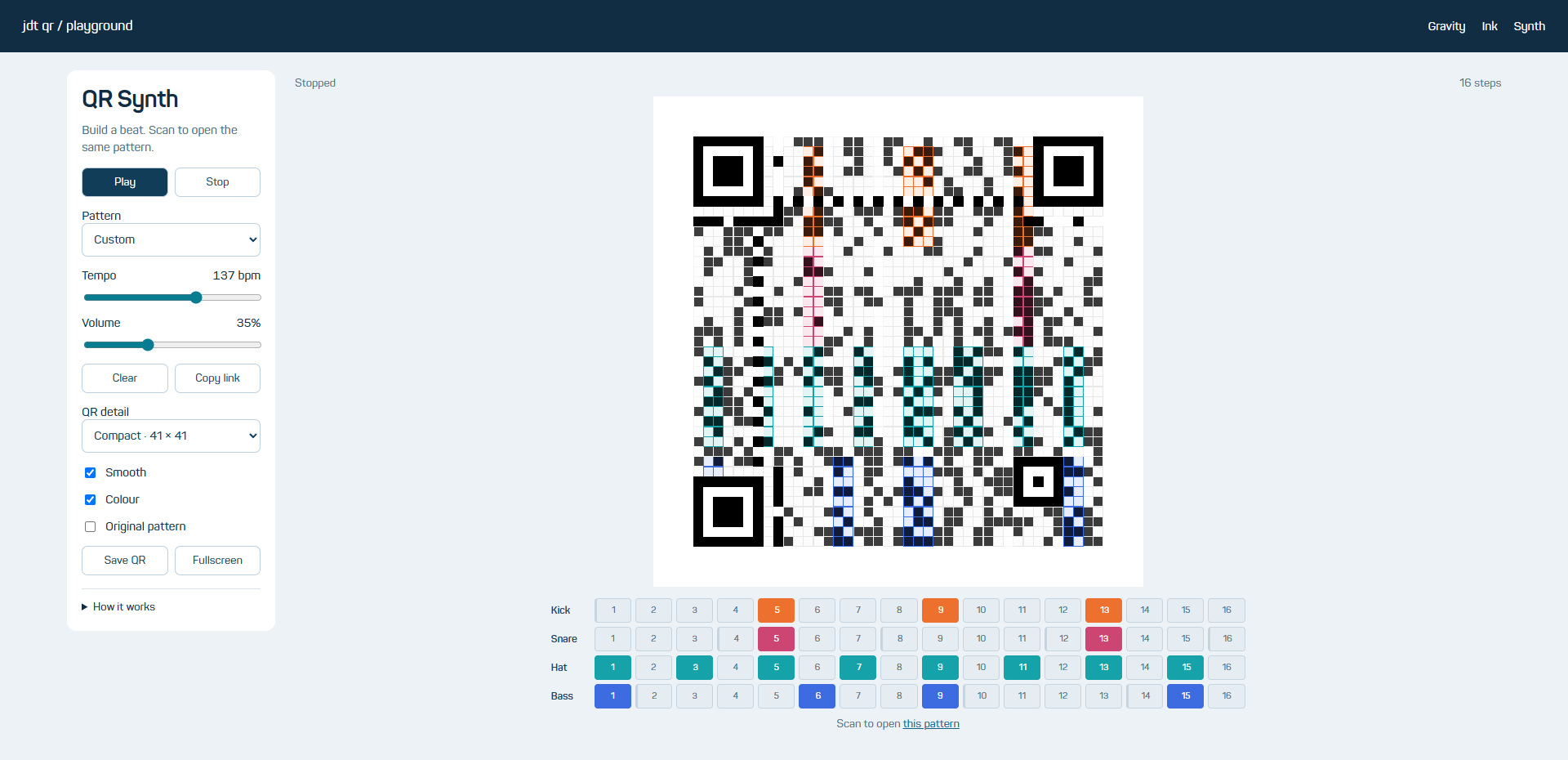
How it works
- A compact versioned URL fragment represents pattern and tempo.
- Web Audio schedules synthesized voices against its clock.
- Steps and the musical playhead drive the whole-field QR artwork.
What we checked
Pattern round-trips, browser controls, audio scheduling and rendered QR decoding are checked with the app test suite.
Light without a photograph
A moving full-field colour study
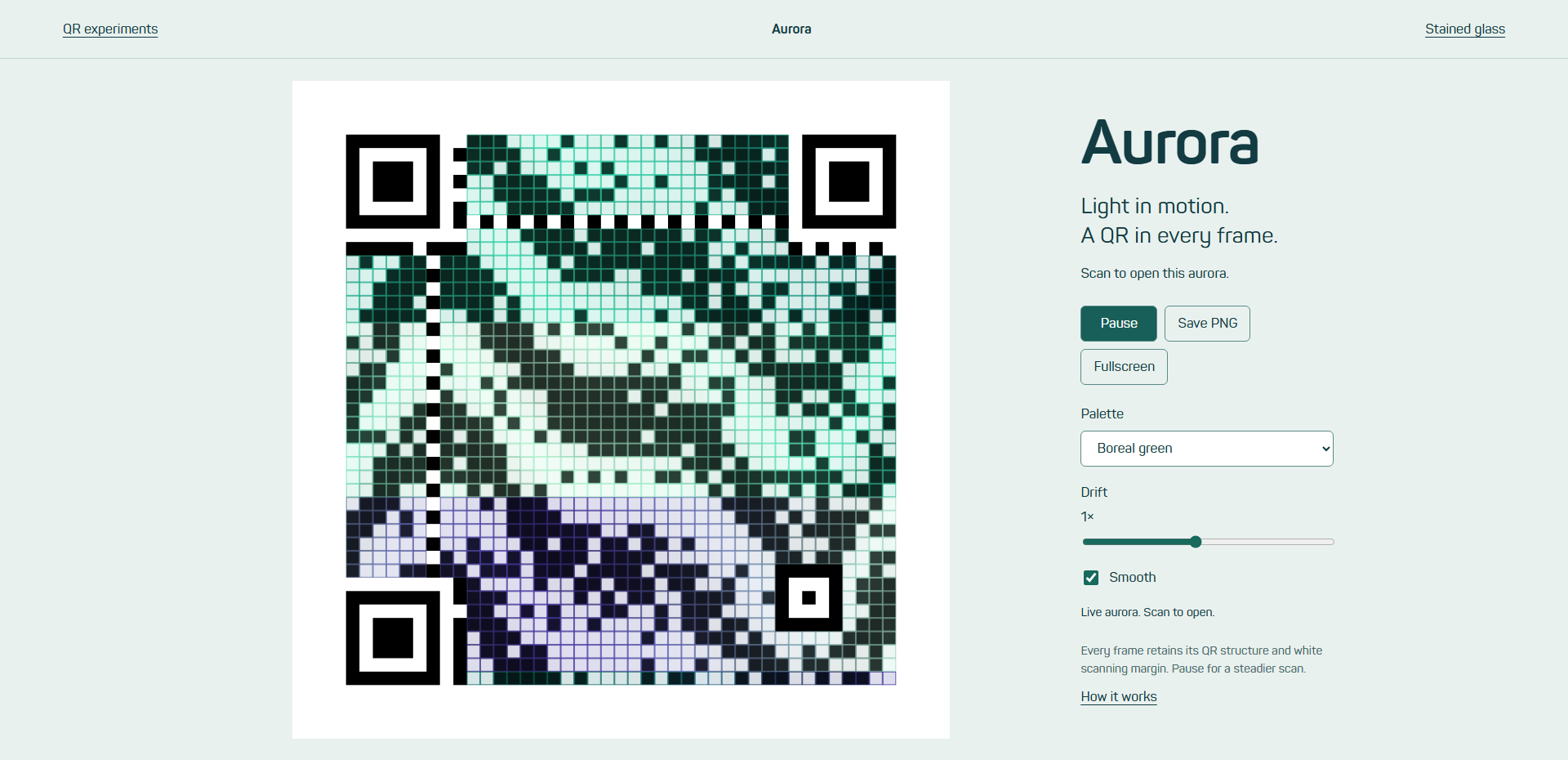
Aurora layers mathematical ribbons into drifting curtains of light. Green, violet and ember palettes share the same destination. Change drift speed, pause, switch Smooth or save a frame.
How it works
- Analytic fields produce colour, brightness and artwork weights across the data area.
- A worker encodes completed frames; fixed markers and quiet zone stay intact.
- Dark and light module colours retain scanning contrast.
What we checked
Eighteen time/palette samples, two modes and three sizes passed both decoders: 216 reads. Matrices, structural pixels and quiet zones were checked independently.
Twenty-four windows made of QR data
Geometry, colour and light
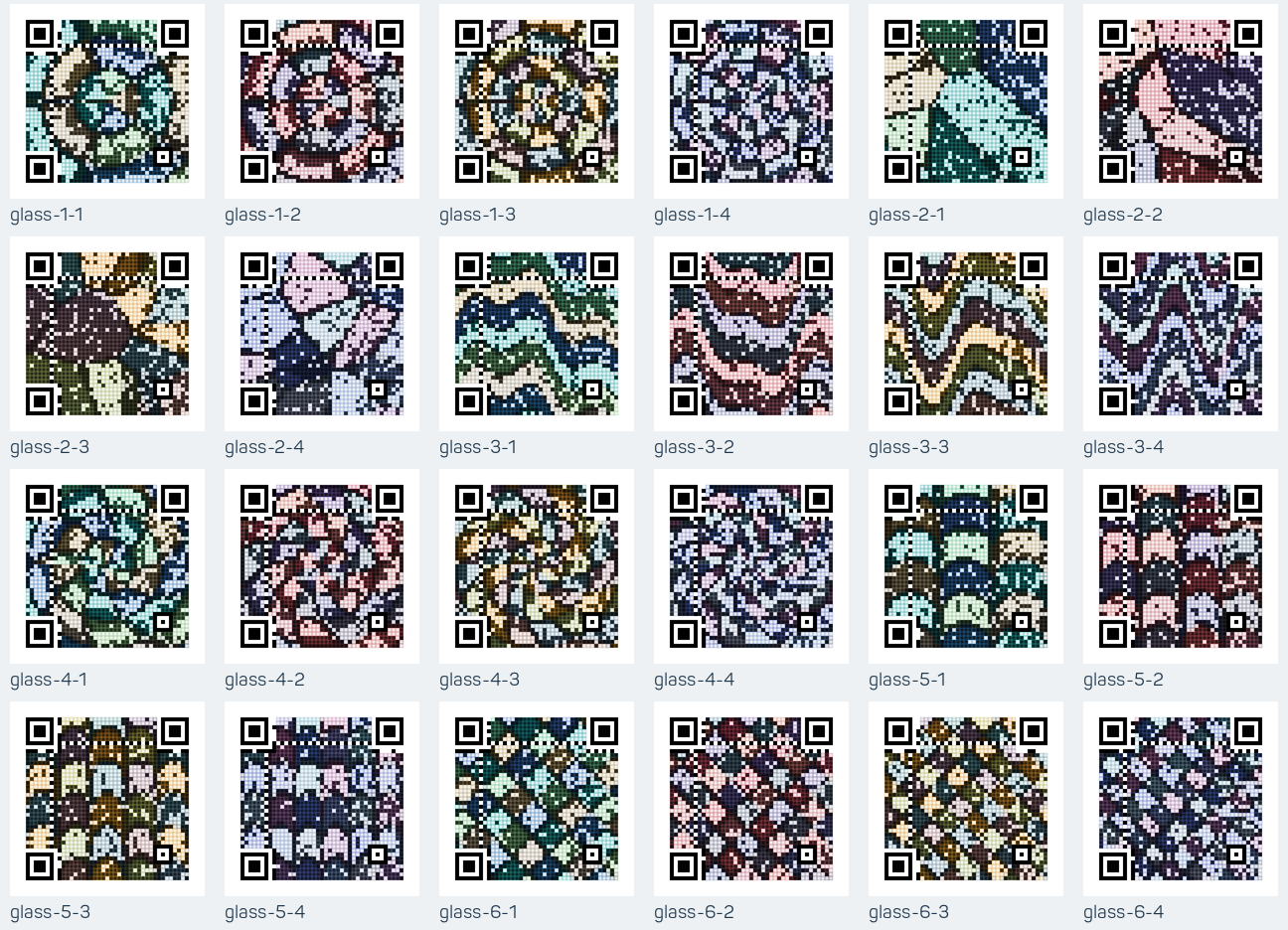
Rose windows, fragments, ribbons, sunwheels, arcades and prisms each appear in four palettes. The whole field is the picture; there is no central image inset. The gallery offers filters, enlarged views, Smooth switching and PNG/SVG downloads. All artwork opens jdt.engineering.
How it works
- Deterministic geometry supplies brightness targets and colour.
- Padding is solved with positive weights across the data area and valid Reed–Solomon parity.
- Version 6 places alignment structure near the edge.
What we checked
All 24 default Smooth 784px exports and all 24 sharp 392px exports passed both decoders. Additional display checks passed 146/146 with ZXing and 145/146 with OpenCV; the one miss was a nondefault sharp view.